Identity
How people sign with passkeys, agents hold scoped credentials, and merchants prove their payout address and domain to earn an on-chain attestation, and how a business applies for verification.
The problem it removes
Payments go wrong when the wrong party can act: an agent that signs its own approval, a session that changes limits without the owner present, a merchant that says it is someone it is not. Abazi Identity gives each party a different kind of proof, and keeps the keys apart.
Who uses it
| Who | How |
|---|---|
| Owners, admins, approvers | Sign in and sign mandates, approvals and other sensitive actions with a passkey. |
| Agent developers | Give each agent its own credential and rotate it without downtime. |
| Merchants | Prove control of their payout address and domain to become VERIFIED. |
How it works
People. Sign-in uses a passkey, with an emailed sign-in link as a fallback. Passkeys use P-256 keys with user verification required, and each passkey works only on the site it was created for. Signing a mandate and approving a purchase are passkey signatures. Other sensitive actions, such as creating an API key or pausing all payments, need a fresh passkey check that stays valid for five minutes.
Agents. An agent credential is shown once, then stored only as a slow password hash (argon2id). Rotation issues a new credential at once and keeps the old one valid for an overlap of zero, one or 24 hours. A credential can call Abazi's tools; it cannot sign, move funds or change rules.
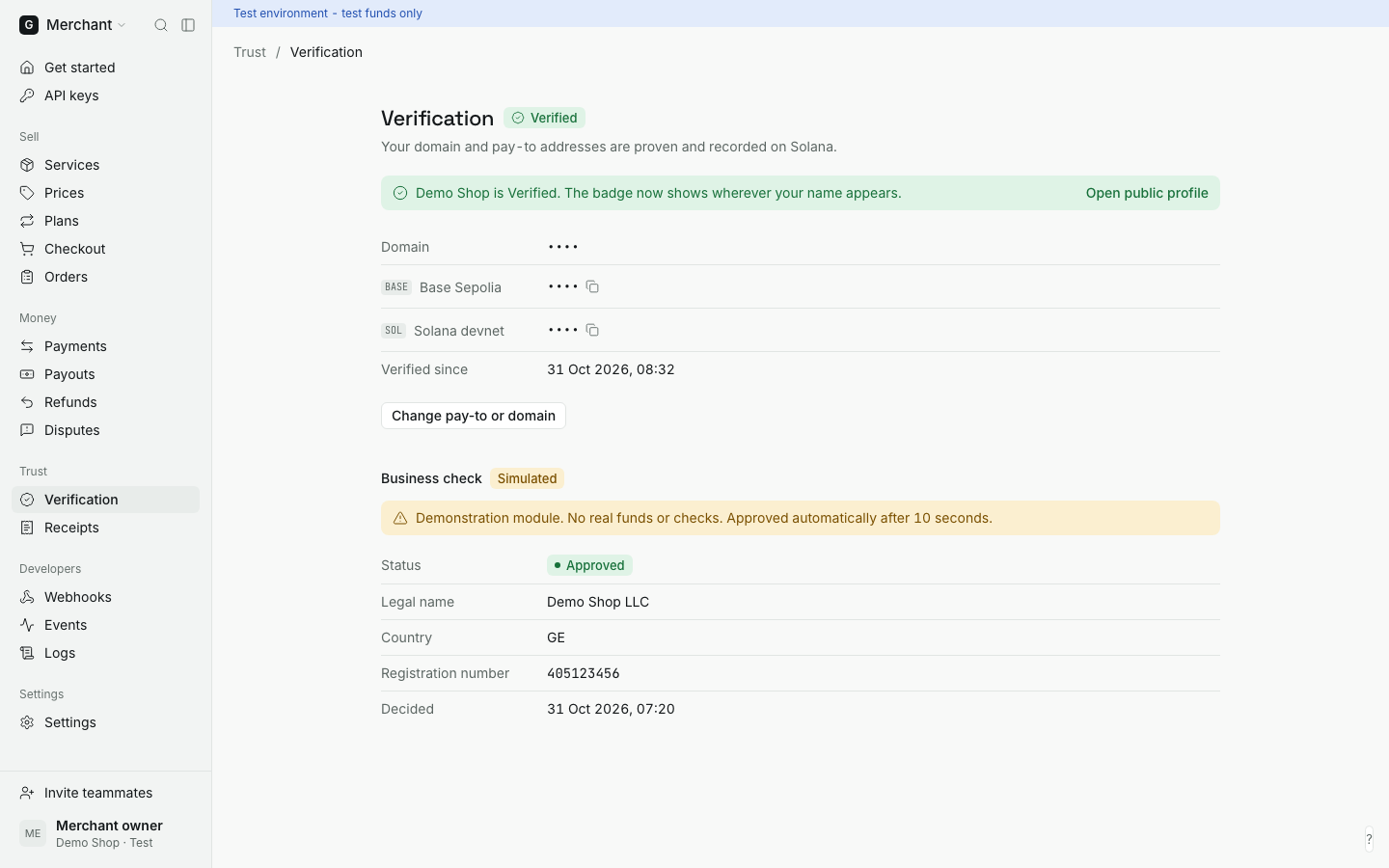
Merchants.
- The merchant starts a claim with a domain and a payout address.
- It signs a one-time message with the payout address's key (Solana or EVM).
- It proves the domain with a token file on the domain or a DNS TXT record.
- Abazi issues an attestation on Solana through the Solana Attestation Service, and the merchant becomes VERIFIED.
Business verification
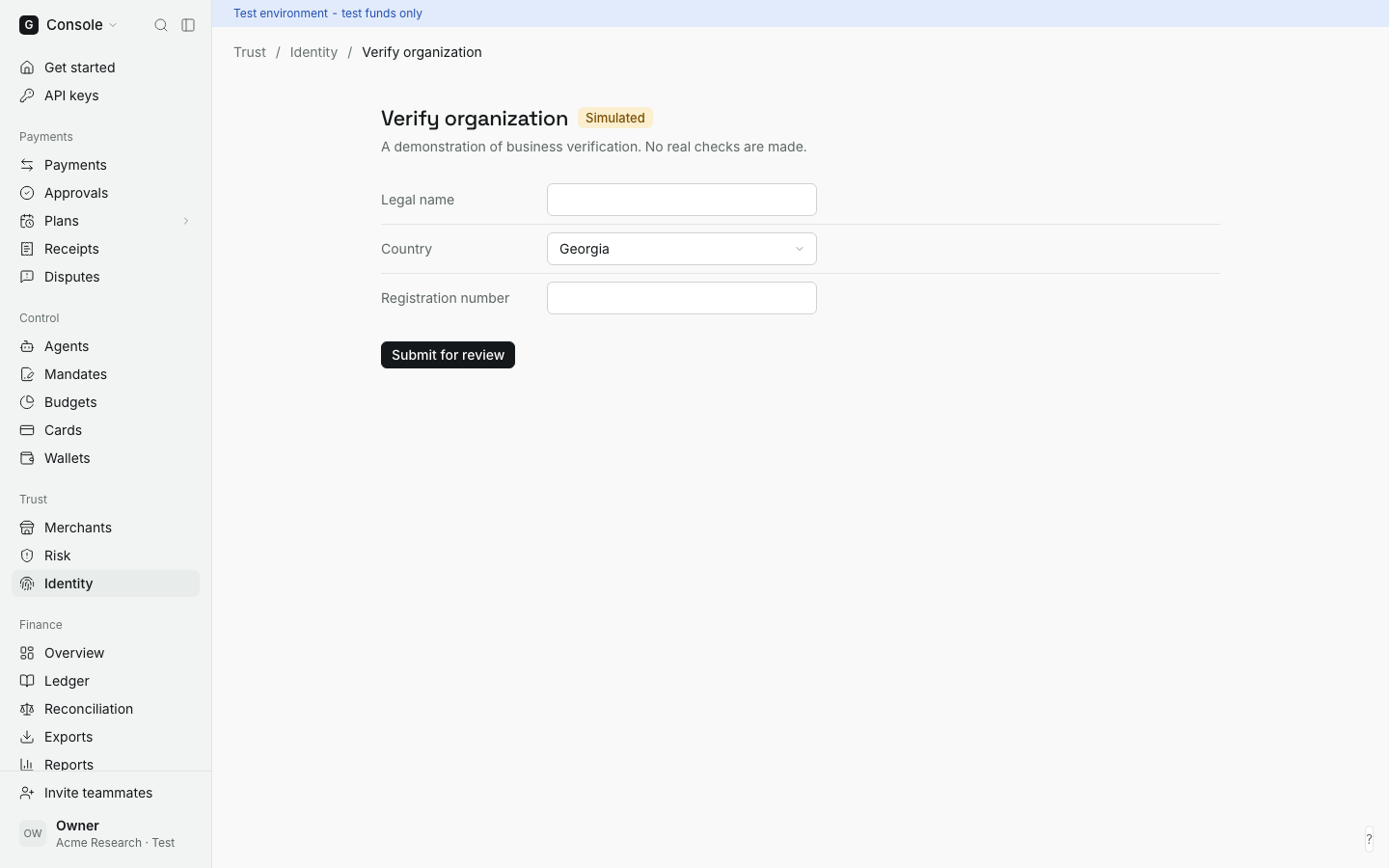
Organizations and merchants apply for business verification (KYB) from the Console or the Merchant area.
- Apply. An admin of the organization, or the merchant's owner, submits the legal name, the country and, where there is one, the registration number.
- Review. The application shows as submitted. Only one application can be under review at a time; a second one is refused until the first is decided.
- Decision. When the review completes, the application moves to approved, the decision time is recorded, and Abazi emits
org.kyb_approvedormerchant.kyb_approved.
Business verification and the VERIFIED merchant tier are separate. VERIFIED means the three merchant proofs above: payout address, domain and an on-chain attestation.
Screens
Boundaries
| Case | What happens |
|---|---|
| A passkey is used on a different site | It does not sign. |
| The last passkey of someone who can sign | It cannot be removed. |
| A revoked agent's credential calls Abazi | Its purchases are denied with MANDATE_REVOKED. |
| A verified merchant changes payout address or domain | It returns to UNKNOWN until it proves both again. |
A passkey never signs a chain transaction, and a wallet key never signs a mandate.
API
The Authentication operations in the API reference, each with its parameters, responses and code samples:
- POSTStart sign-up
/v1/auth/sign-up - POSTSend sign-in link
/v1/auth/magic-link - POSTVerify sign-in link
/v1/auth/magic-link/verify - GETGet current user
/v1/auth/me - POSTSwitch organization
/v1/auth/switch-org - POSTSign out
/v1/auth/sign-out - POSTGet passkey registration options
/v1/auth/passkey/register/options - POSTRegister passkey
/v1/auth/passkey/register/verify
Next steps
Shield
How Shield screens every purchase with versioned block and review rules and a local prompt-injection classifier, and why it only flags while the policy engine decides.
Disputes
How a buyer opens a dispute from a receipt with evidence attached, how the merchant accepts or contests it, and how refunds settle on stablecoin and card rails.