Merchant trust tiers
How a merchant becomes UNKNOWN, KNOWN or VERIFIED, what each tier changes for an agent's purchases, and what resets a merchant back to UNKNOWN.
Who needs it
Merchants, who want agents to buy without a person in the loop. Owners, who decide in the mandate which tiers their agents may pay and how much an unknown merchant may receive without approval.
The three tiers
Merchant trust tiers
How does a merchant move between tiers, and what does each unlock?
UNKNOWN
Discovered, not yet trusted.
KNOWN
Earned with payments.
VERIFIED
Proved with signatures.
How UNKNOWN is reached
- An agent buys from a URL that is not in the Catalog and the endpoint answers with a valid x402 402 response. Abazi adds it to the Catalog as UNKNOWN.
- Any merchant whose payout address or domain changes drops back here.
What it means for a purchase
- Purchases up to the unknown-merchant limit (0.10 USDC in the example mandate) follow the normal rules.
- Above that limit a person must approve, even if the amount is below the auto-approve limit.
- A mandate can refuse unknown merchants altogether.
Text description
Merchants have one of three trust tiers. A change of payout address or domain resets any tier to UNKNOWN, and a 402 that asks to be paid at an address different from the Catalog listing is denied and resets the tier as well.
UNKNOWN: Discovered, not yet trusted.
How it is reached:
- An agent buys from a URL that is not in the Catalog and the endpoint answers with a valid x402 402 response. Abazi adds it to the Catalog as UNKNOWN.
- Any merchant whose payout address or domain changes drops back here.
What it means for a purchase:
- Purchases up to the unknown-merchant limit (0.10 USDC in the example mandate) follow the normal rules.
- Above that limit a person must approve, even if the amount is below the auto-approve limit.
- A mandate can refuse unknown merchants altogether.
KNOWN: Earned with payments.
How it is reached:
- Listed in a discovery index.
- At least 3 confirmed payments from at least 2 different organizations in the last 30 days.
- No open, contested or accepted dispute in the last 30 days.
- Abazi checks this after each confirmed payment and promotes the merchant automatically.
What it means for a purchase:
- The unknown-merchant limit no longer applies; the agent's normal auto-approve limit does.
- Hard cap, budgets and every other rule still apply.
VERIFIED: Proved with signatures.
How it is reached:
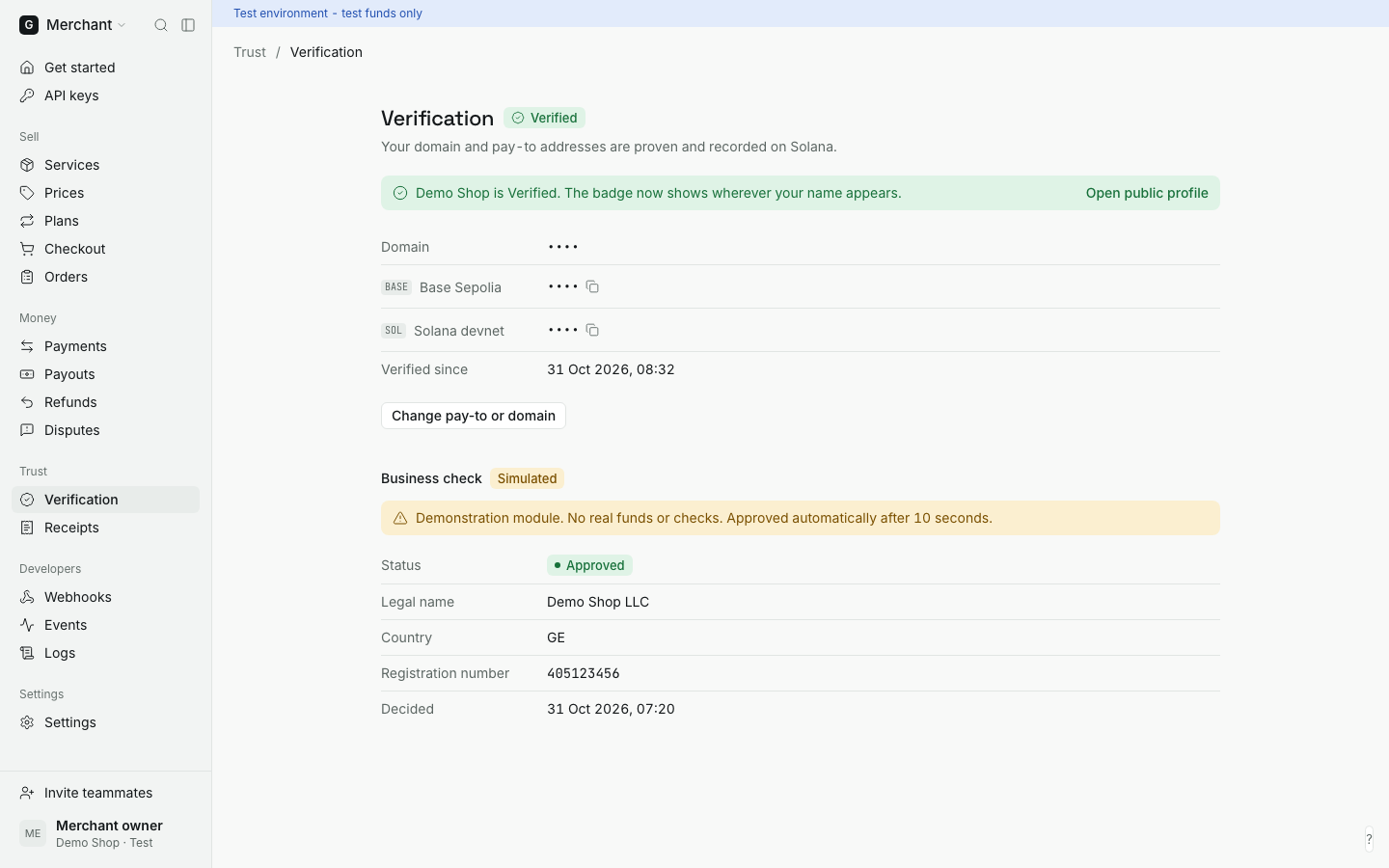
- Signs a challenge with its payout address, proving it controls where the money goes.
- Proves its domain with a token in a well-known file or a DNS record.
- Receives an attestation on Solana through the Solana Attestation Service.
- Can be reached from UNKNOWN or KNOWN.
What it means for a purchase:
- The same policy treatment as KNOWN: no unknown-merchant limit.
- A public profile that shows the attestation.
- Mandates that allow only verified merchants can pay it.
- Can publish installment and subscription plans.
| Tier | How a merchant gets it | What it changes |
|---|---|---|
| UNKNOWN | Discovered. An agent passes a URL that is not in the Catalog. Abazi reads a valid 402 response and records the merchant and the service with the price and payout address it saw. | Purchases above the unknown-merchant limit need a person (UNKNOWN_MERCHANT_LIMIT). A dispute the merchant does not answer in time is accepted automatically. |
| KNOWN | Earned. Listed in a public discovery index, at least 3 confirmed payments from at least 2 organizations, and no open or accepted dispute, all within the last 30 days. | The unknown-merchant limit no longer applies. |
| VERIFIED | Proven. A signature with the payout key, a domain proof and an attestation written on Solana. | A badge, the merchant console, plans, splits, webhooks and refunds from a hosted page. |
"Verified" means exactly those three proofs. It does not mean vetted, licensed or checked as a business; business verification (KYB) is a separate application that Abazi reviews.
The mandate's allowed tiers are checked at policy step 1b (MERCHANT_TIER_NOT_ALLOWED), and the tier is shown on every approval and written into every receipt.
How VERIFIED is proven
/.well-known/ on its domain. Abazi fetches it.The attestation step is refused until both proofs pass.
Boundary
- Reset on change. A new payout address for a service, or a new domain, sets the tier back to UNKNOWN and writes a high-severity risk event. Trust attaches to an address and a domain, not to a name.
- Mismatched 402. A 402 that asks to be paid at a different address than the Catalog lists is denied with PAYTO_MISMATCH and resets the tier the same way.
- When KNOWN is checked. After each confirmed payment to an UNKNOWN merchant, and by a background task.
- Staff overrides. Abazi staff can override a tier with a stated reason. Raising a tier needs a second staff member to confirm; lowering one to UNKNOWN does not.
- Block lists. An organization can block a merchant outright; the purchase is denied with MERCHANT_BLOCKED.
Example
In the example mandate, the unknown-merchant limit is 0.10 USDC.
Purchases from merchants at different tiers, with the example mandate's limits:
| Merchant | Purchase | Outcome |
|---|---|---|
| A merchant discovered by URL (UNKNOWN), below the unknown-merchant limit | Continues to the auto-approve check | ALLOW if also below the auto-approve limit |
| The same merchant, above the unknown-merchant limit | Waits for a person | REQUIRE APPROVAL UNKNOWN_MERCHANT_LIMIT |
| A VERIFIED merchant, same amount | The unknown-merchant step does not apply | Decided by the auto-approve limit |
| A VERIFIED merchant that changed its payout address | Back to UNKNOWN until it proves the new address | The unknown-merchant limit applies again |
An approver asked about an unknown merchant sees its domain, an "Unknown merchant" badge and, when true, that this is the first payment anyone in the organization makes to it.
Failure cases
| Case | Result |
|---|---|
| The merchant changes its payout address in its console | Tier UNKNOWN until it verifies again. |
| The 402 payout address differs from the Catalog | DENY PAYTO_MISMATCH, tier reset, risk event. |
| The mandate does not allow UNKNOWN merchants | DENY MERCHANT_TIER_NOT_ALLOWED. |
| The merchant asks for the attestation before both proofs | Refused with a message to finish the payout and domain proofs first. |
How to verify
- A verified merchant's public profile shows its tier and its attestation, without signing in.
- The attestation is written on Solana, where anyone can read it.
Next steps
Approvals
What happens between REQUIRE APPROVAL and payment, what an approver signs with a passkey, who may approve, and why an approval can never lift a limit.
Custody and keys
Where the money sits on each network, who holds which key, which part of Abazi may sign, and how the owner withdraws Abazi's permission.