Approvals
What happens between REQUIRE APPROVAL and payment, what an approver signs with a passkey, who may approve, and why an approval can never lift a limit.
Who needs it
Owners and approvers, who decide on purchases above a threshold, often from a phone. Agent developers, whose agents must wait correctly instead of retrying.
Thresholds and limits
The owner moves two kinds of number, and they behave differently:
| Kind | Examples | What an approval does |
|---|---|---|
| Threshold | Auto-approve limit, unknown-merchant limit, Shield review rules | Clears it for this one purchase. Raising a threshold in the mandate gives the agent more autonomy. |
| Limit | Per-purchase hard cap, organization, team and agent budgets, allowed rails and networks, paused payments | Nothing. No approval, and nothing the agent says, can lift a limit. |
In policy terms: an approval skips steps 5 to 7 only. See Mandates and policy.
What happens when a purchase needs a person
When the policy returns REQUIRE APPROVAL, nothing is reserved yet. The intent waits in awaiting_approval, and Abazi:
- Creates an approval bound to the purchase fingerprint (a hash of rail, merchant, payee, asset, network, amount, URL and request body), with the reason code and an expiry of 10 minutes unless the organization set its own.
- Creates a one-time link token. Only its hash is stored.
- Notifies everyone who may decide: in the Console, and by a phone message with the one-time link for approvers who linked their phone.
- Tells the agent to wait and check
get_purchase_status, not to retry with a new idempotency key.
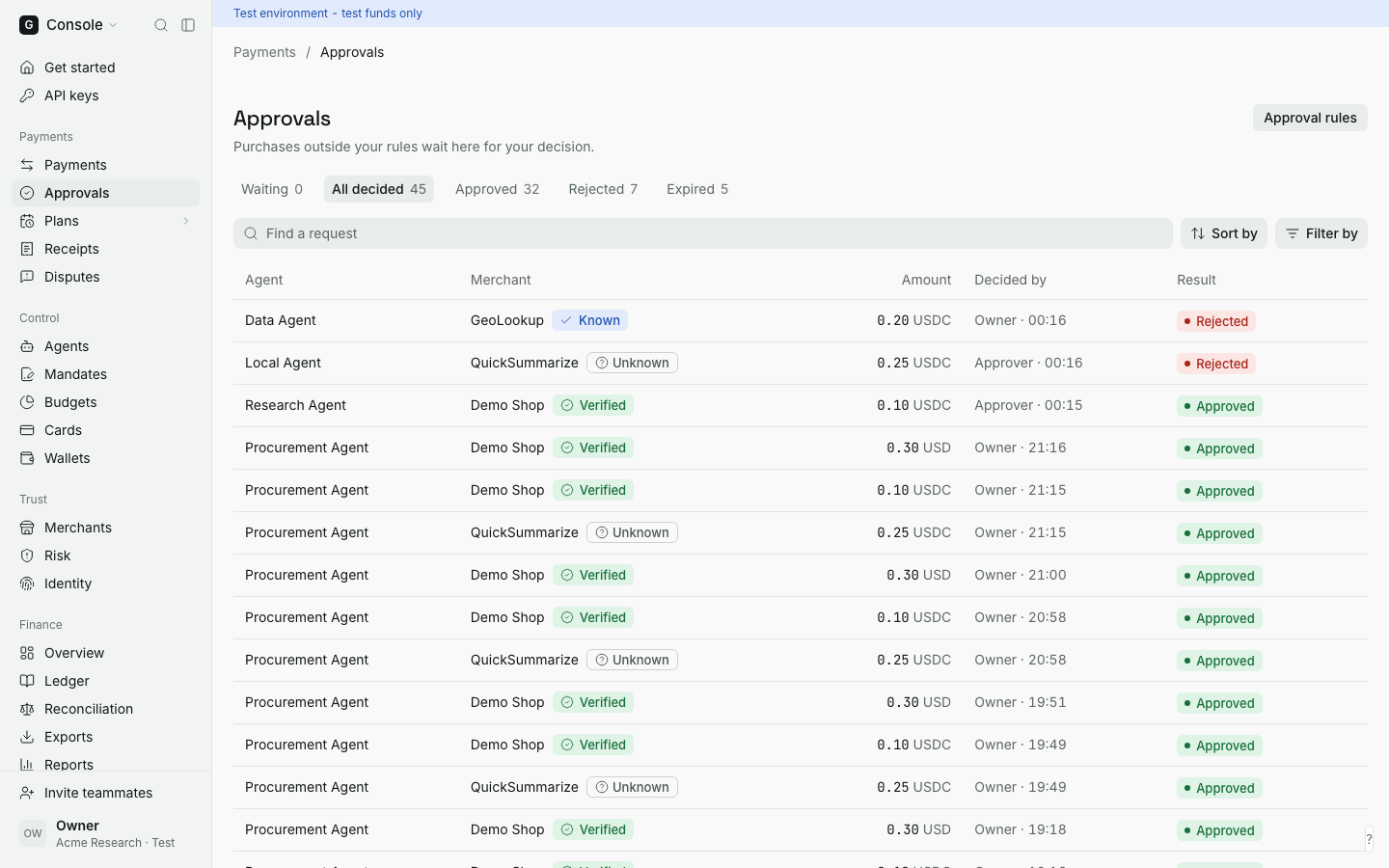
The approver opens the request in the Console or from the link, and sees the merchant and its trust tier, the amount and network, the service, the agent, the reason it needs a person, and the budget left after this purchase.
What the approver signs
Abazi builds a closed mandate in AP2 v0.2 format for this purchase: the approval and intent, the fingerprint, amount, asset, network, merchant and payout address, the expiry and the version of the mandate it falls under (for a plan, also the plan terms). It is serialized as canonical JSON (RFC 8785). The passkey challenge carries the SHA-256 hash of those bytes, so the passkey signs exactly this purchase. The closed mandate and the signature are stored with the approval, and attached as evidence to any later dispute.
Passkeys here require user verification on the device, such as a fingerprint, a face or a PIN.
After the approval
- Quote again. For x402, Abazi asks the merchant for its 402 again. If the price, payee or anything else in the fingerprint changed, the approval is marked invalidated and the purchase is denied with APPROVAL_INVALIDATED.
- Decide again. The policy runs again with the approval attached. Steps 5 to 7 pass as approved; every deny step still runs. The trace gets an extra line, "Re-check after approval".
- Reserve. Only now is the budget reserved, and the payment continues as in How a payment works.
Boundary
- Bound to one purchase. An approval covers one fingerprint. A changed price or payee voids it, at the re-quote or at the signer's own check.
- Own team only. An approver decides only for agents of their own team. Owners decide everything; admins and finance only with a grant. Approvals for an agent without a team go to owners and grantees.
- First decision wins. The approval is locked while it is decided. A second approver sees who already decided and when; the link page shows the final state without buttons.
- Standing rules. An organization can set a rule for one merchant: block it, or allow it up to an amount. An allow rule clears the same three steps an approval does, and nothing more.
- Plans always ask. An installment plan or subscription always needs a person, who approves the full terms once.
Example
In the example mandate, the auto-approve limit is 0.10 USDC and its hard cap 0.50 USDC.
One purchase above the auto-approve limit, approved on a phone:
The same request priced above the hard cap is denied with HARD_CAP_EXCEEDED and never reaches an approver.
Failure cases
| Ending | Reason code | Money |
|---|---|---|
| The approver rejects | APPROVAL_REJECTED | Nothing reserved |
| Nobody decides before the expiry | APPROVAL_EXPIRED | Nothing reserved |
| The quote changed after the request | APPROVAL_INVALIDATED | Nothing signed |
| A deny step hits on the re-check (for example the budget was used meanwhile) | That deny code, such as BUDGET_EXCEEDED | Nothing reserved |
| From | Can move to |
|---|---|
| pending | approved, rejected, expired, invalidated |
| approved | consumed, invalidated |
How to verify
- The payment's detail page shows the original trace, the approval with the approver and time, and the "Re-check after approval" line.
- The receipt names the approval and the approver, and is checked like any other. See Receipts and proof.
Next steps
Budgets and reservations
How organization, team and agent budgets stay correct when many agents pay at once, and how held money becomes committed or is released.
Merchant trust tiers
How a merchant becomes UNKNOWN, KNOWN or VERIFIED, what each tier changes for an agent's purchases, and what resets a merchant back to UNKNOWN.