Mandates and policy
How an owner's signed spending rules become one deterministic decision per purchase, in a fixed order, with a reason code an agent can act on.
What a mandate is
A mandate is a versioned set of spending rules for one agent or a group of agents. The owner writes it in the Console, can try a purchase against the draft (the simulation runs the same engine, reserves nothing and sends nothing), and signs it with a passkey. Mandates are issued in AP2 v0.2 format: the rules are serialized as canonical JSON, and the signature slot holds the owner's WebAuthn passkey assertion over that payload. Abazi builds and verifies these mandates itself.
A mandate says, among other things:
| Field | What it limits |
|---|---|
| Per-purchase hard cap | The most any single purchase may cost. Above it, the answer is always DENY. |
| Auto-approve limit | Up to this amount the agent buys alone. Above it, a person approves. |
| Rails, networks and assets | Which ways of paying are allowed: stablecoins over x402, direct USDT, virtual cards, and on which networks. |
| Categories | Which kinds of services the agent may buy. |
| Merchant tiers | Whether the agent may pay unknown merchants at all. |
| Expiry | When the rules stop working. A new version must be signed. |
The agent never holds the mandate and cannot edit it. It holds only an Abazi agent credential, which identifies it; the credential carries no spending power on its own.
How a decision is made
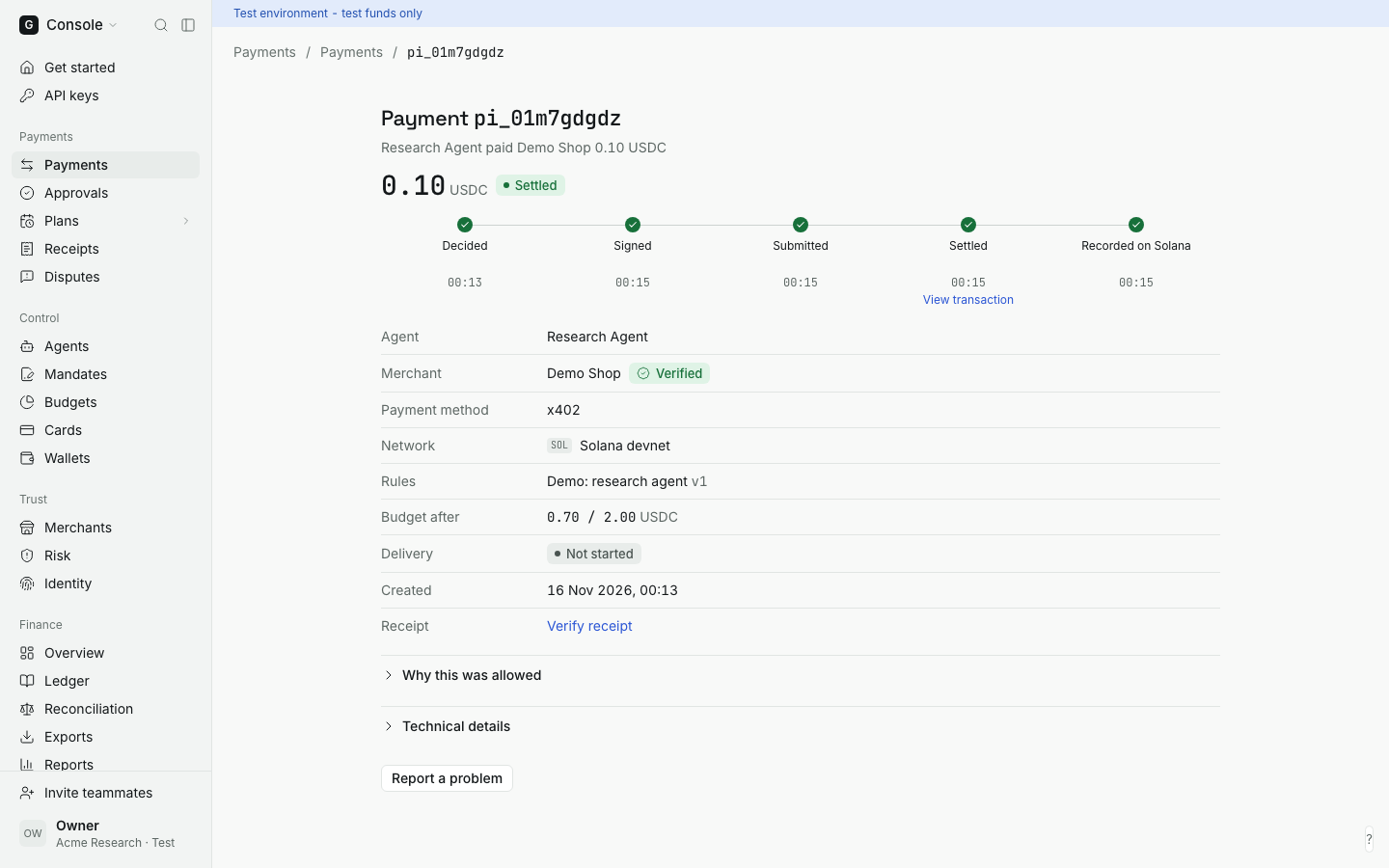
Before any money moves, Abazi gathers the facts about one purchase (the agent and its mandate, the rail, network, asset, category, the merchant's tier, the price quoted from the Catalog, Shield's checks, the budgets left and whether a network has funds) and passes them to the policy engine. The engine is a pure function: the same input always gives the same decision, with no clock, no network call and no model.
It checks its rules in a fixed order. The first step that hits decides.
| Step | Check | If it hits | Reason codes |
|---|---|---|---|
| 0 | Payments not paused | DENY | KILL_SWITCH_ACTIVE |
| 1 | Agent credential and spending rules | DENY | AGENT_CREDENTIAL_INVALID, AGENT_FROZEN, MANDATE_REVOKED, MANDATE_EXPIRED, MANDATE_MISSING |
| 1b | Allowed payment method, network, asset, category and merchant tier | DENY | RAIL_NOT_ALLOWED, CHAIN_NOT_ALLOWED, ASSET_NOT_ALLOWED, CATEGORY_NOT_ALLOWED, MERCHANT_TIER_NOT_ALLOWED |
| 2 | Matches the Catalog listing | DENY | PAYTO_MISMATCH, ASSET_MISMATCH, NETWORK_MISMATCH, AMOUNT_MISMATCH, SERVICE_MISMATCH |
| 3 | Shield block rules | DENY | MERCHANT_BLOCKED, PAYTO_CHANGED, INJECTION_FLAG |
| 4 | Per-purchase limit and budget | DENY | HARD_CAP_EXCEEDED, BUDGET_EXCEEDED |
| 4b | Funded network | DENY | NO_FUNDED_CHAIN, DELEGATION_MISSING |
| 5 | Shield review rules(an approval can clear this) | REQUIRE APPROVAL | RISK_REVIEW, PRICE_JUMP, VELOCITY, FIRST_PURCHASE |
| 6 | Unknown-merchant limit(an approval can clear this) | REQUIRE APPROVAL | UNKNOWN_MERCHANT_LIMIT |
| 7 | Auto-approve limit(an approval can clear this) | REQUIRE APPROVAL | ABOVE_AUTO_THRESHOLD |
| 8 | Within spending rules | ALLOW | WITHIN_POLICY |
| 9 | Unexpected case (any error) | DENY | POLICY_UNKNOWN_CASE |
- Steps 0 to 4b can only deny. Steps 5 to 7 can only ask a person. Step 8 allows.
- If anything unexpected happens, step 9 fails closed: the purchase is denied with POLICY_UNKNOWN_CASE.
- Every decision is stored with its reason code and a trace: one line per step, marked pass, hit or skip.
Try it with your own inputs. The explorer runs the same order with the example mandate's limits:
Policy explorer
Which step decides this purchase, and why?
- 0Payments not pausedpayments not pausedpass
- 1Agent credential and spending rulescredential valid, mandate activepass
- 1bAllowed payment method, network, asset, category and merchant tierrail allowed, tier VERIFIED allowedpass
- 2Matches the Catalog listingmatches the Catalog listingpass
- 3Shield block rulesno block rule hitpass
- 4Per-purchase limit and budget0.05 USDC <= hard cap 0.50 USDC; agent budget 2.00 USDC okpass
- 4bFunded networka funded network existspass
- 5Shield review rules(approval clears)no review rule hitpass
- 6Unknown-merchant limit(approval clears)merchant tier VERIFIEDpass
- 7Auto-approve limit(approval clears)0.05 USDC <= auto-approve limit 0.10 USDCpass
- 8Within spending rulesall checks passedhit
Decision
ALLOW
WITHIN_POLICY · Within your rules
Decided at step 8. Every later step is skipped.
An approval clears steps 5 to 7 only. It never lifts the hard cap, a budget or any other deny step.
Text description
The policy engine checks a purchase in a fixed order and the first step that hits decides. Steps 0 to 4b can only deny. Steps 5 to 7 can only ask a person. Step 8 allows. An approval makes steps 5, 6 and 7 pass as approved by the owner; it does not change any deny step.
This explorer uses the example mandate's limits: auto-approve 0.10 USDC, hard cap 0.50 USDC, unknown-merchant limit 0.10 USDC, agent budget 2.00 USDC. The Catalog match, Shield and funding steps always pass here.
Current inputs: amount 0.05 USDC, merchant tier VERIFIED, agent budget left 2.00 USDC, rail allowed, payments not paused, approval not given.
- Step 0, Payments not paused: pass, payments not paused.
- Step 1, Agent credential and spending rules: pass, credential valid, mandate active.
- Step 1b, Allowed payment method, network, asset, category and merchant tier: pass, rail allowed, tier VERIFIED allowed.
- Step 2, Matches the Catalog listing: pass, matches the Catalog listing.
- Step 3, Shield block rules: pass, no block rule hit.
- Step 4, Per-purchase limit and budget: pass, 0.05 USDC <= hard cap 0.50 USDC; agent budget 2.00 USDC ok.
- Step 4b, Funded network: pass, a funded network exists.
- Step 5, Shield review rules: pass, no review rule hit.
- Step 6, Unknown-merchant limit: pass, merchant tier VERIFIED.
- Step 7, Auto-approve limit: pass, 0.05 USDC <= auto-approve limit 0.10 USDC.
- Step 8, Within spending rules: hit, all checks passed, reason code WITHIN_POLICY.
Decision: ALLOW with reason code WITHIN_POLICY, decided at step 8.
Thresholds and limits are different things
Turn autonomy up. Never turn limits off. The auto-approve limit is a threshold: the owner can raise it to let the agent do more alone. The hard cap and the budgets are limits: no approval can lift them.
When a person approves a purchase, the engine runs again with the approval attached. The three "ask a person" steps (Shield review rules, the unknown-merchant limit and the auto-approve limit) then pass as approved by the owner, but every deny step still runs. An approval cannot turn a DENY into a payment.
The lower limit wins. An organization can also set default limits. At the hard cap step and the auto-approve step, the engine uses the lower of the mandate's value and the organization default, and the trace records which one applied.
No model decides. Shield's prompt-injection classifier scores the purchase text and feeds steps 3 and 5 as an input. The decision itself is plain code.
Example
The example mandate uses these limits: hard cap 0.50 USDC, auto-approve 0.10 USDC, unknown-merchant limit 0.10 USDC.
| Purchase | First step that hits | Decision |
|---|---|---|
| A verified merchant's service, below the auto-approve limit | none | ALLOW WITHIN_POLICY |
| The same service, above the auto-approve limit and below the hard cap | 7 | REQUIRE APPROVAL ABOVE_AUTO_THRESHOLD |
| An unknown merchant, above the unknown-merchant limit | 6 | REQUIRE APPROVAL UNKNOWN_MERCHANT_LIMIT |
| Any purchase above the hard cap | 4 | DENY HARD_CAP_EXCEEDED |
| The merchant's 402 asks to be paid at a different address than its Catalog listing | 2 | DENY PAYTO_MISMATCH |
| Text in the purchase looks like an injected instruction | 3 | DENY INJECTION_FLAG |
Failure cases
| Situation | What happens |
|---|---|
| The mandate expired or was revoked | DENY MANDATE_EXPIRED or MANDATE_REVOKED. The agent should stop. |
| The budget left is too small | DENY BUDGET_EXCEEDED. The agent can check its spending status. |
| The owner paused all payments | DENY KILL_SWITCH_ACTIVE. Nothing is signed until payments resume. |
| A person approves a purchase that later hits a deny step | The purchase is still denied. Approvals only clear steps 5 to 7. |
Every code, with what the owner sees and what the agent should do, is in the reason code reference.
Next steps
Local model on Tether QVAC
Run an agent whose model, Qwen3 1.7B Instruct, is served on your own machine by Tether QVAC. The model chooses Abazi's MCP tools; Abazi holds the keys and makes every policy decision.
Budgets and reservations
How organization, team and agent budgets stay correct when many agents pay at once, and how held money becomes committed or is released.