Write a mandate
Draft an agent's spending rules, try purchases against the draft without spending anything, sign the version with a passkey, and change or revoke it later.
What you end up with
An active, signed mandate version for one agent: what it may buy alone, what needs a person, what it may never buy, on which rails and networks, until a set date. Every later purchase by that agent carries the mandate id and version in its decision trace and in its receipt.
Steps
Start a draft
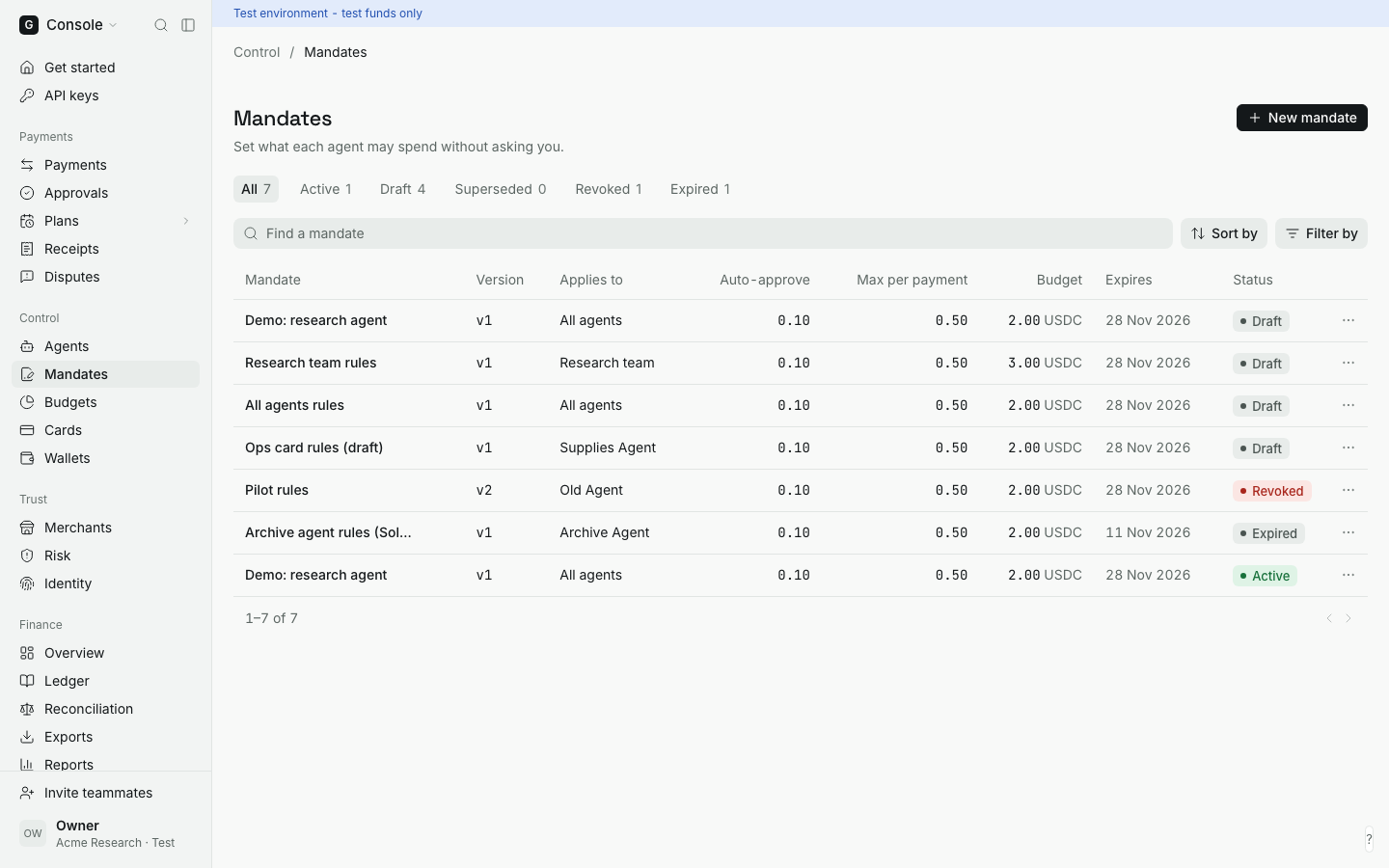
In the Console, open Mandates and create a draft for the agent. A draft does nothing until it is signed.
Set the limits
| Field | Example mandate | Rule |
|---|---|---|
| Auto-approve limit | 0.10 USDC | Up to this amount the agent buys alone. |
| Hard cap per purchase | 0.50 USDC | Above it, always DENY. Must be at least the auto-approve limit. |
| Unknown-merchant limit | 0.10 USDC | Above it, an unknown merchant needs a person. |
| Plan hard cap | 1.50 USDC | The most a whole installment plan may cost. |
| Card hard cap and auto-approve | 25.00 USD, 5.00 USD | The same two limits for virtual cards, in US dollars. |
The hard cap cannot be higher than the agent's budget (2.00 USDC in the example mandate). Budgets themselves are set separately, at organization, team and agent level.
Say what is allowed
Choose the rails (x402 USDC, direct USDT, virtual card), the networks, the assets, the categories of service and the merchant tiers the agent may pay. You can also set the order in which networks are tried and an expiry date. Anything not listed is denied at step 1b of the policy.
Try purchases against the draft
Before signing, simulate a purchase: pick a service or a URL, an amount, a rail and a network. The simulation runs the same policy engine as a real purchase, reserves nothing and calls no network. It returns the decision, the reason code and the step-by-step trace.
Policy explorer
Which step decides this purchase, and why?
- 0Payments not pausedpayments not pausedpass
- 1Agent credential and spending rulescredential valid, mandate activepass
- 1bAllowed payment method, network, asset, category and merchant tierrail allowed, tier VERIFIED allowedpass
- 2Matches the Catalog listingmatches the Catalog listingpass
- 3Shield block rulesno block rule hitpass
- 4Per-purchase limit and budget0.05 USDC <= hard cap 0.50 USDC; agent budget 2.00 USDC okpass
- 4bFunded networka funded network existspass
- 5Shield review rules(approval clears)no review rule hitpass
- 6Unknown-merchant limit(approval clears)merchant tier VERIFIEDpass
- 7Auto-approve limit(approval clears)0.05 USDC <= auto-approve limit 0.10 USDCpass
- 8Within spending rulesall checks passedhit
Decision
ALLOW
WITHIN_POLICY · Within your rules
Decided at step 8. Every later step is skipped.
An approval clears steps 5 to 7 only. It never lifts the hard cap, a budget or any other deny step.
Text description
The policy engine checks a purchase in a fixed order and the first step that hits decides. Steps 0 to 4b can only deny. Steps 5 to 7 can only ask a person. Step 8 allows. An approval makes steps 5, 6 and 7 pass as approved by the owner; it does not change any deny step.
This explorer uses the example mandate's limits: auto-approve 0.10 USDC, hard cap 0.50 USDC, unknown-merchant limit 0.10 USDC, agent budget 2.00 USDC. The Catalog match, Shield and funding steps always pass here.
Current inputs: amount 0.05 USDC, merchant tier VERIFIED, agent budget left 2.00 USDC, rail allowed, payments not paused, approval not given.
- Step 0, Payments not paused: pass, payments not paused.
- Step 1, Agent credential and spending rules: pass, credential valid, mandate active.
- Step 1b, Allowed payment method, network, asset, category and merchant tier: pass, rail allowed, tier VERIFIED allowed.
- Step 2, Matches the Catalog listing: pass, matches the Catalog listing.
- Step 3, Shield block rules: pass, no block rule hit.
- Step 4, Per-purchase limit and budget: pass, 0.05 USDC <= hard cap 0.50 USDC; agent budget 2.00 USDC ok.
- Step 4b, Funded network: pass, a funded network exists.
- Step 5, Shield review rules: pass, no review rule hit.
- Step 6, Unknown-merchant limit: pass, merchant tier VERIFIED.
- Step 7, Auto-approve limit: pass, 0.05 USDC <= auto-approve limit 0.10 USDC.
- Step 8, Within spending rules: hit, all checks passed, reason code WITHIN_POLICY.
Decision: ALLOW with reason code WITHIN_POLICY, decided at step 8.
Sign with a passkey
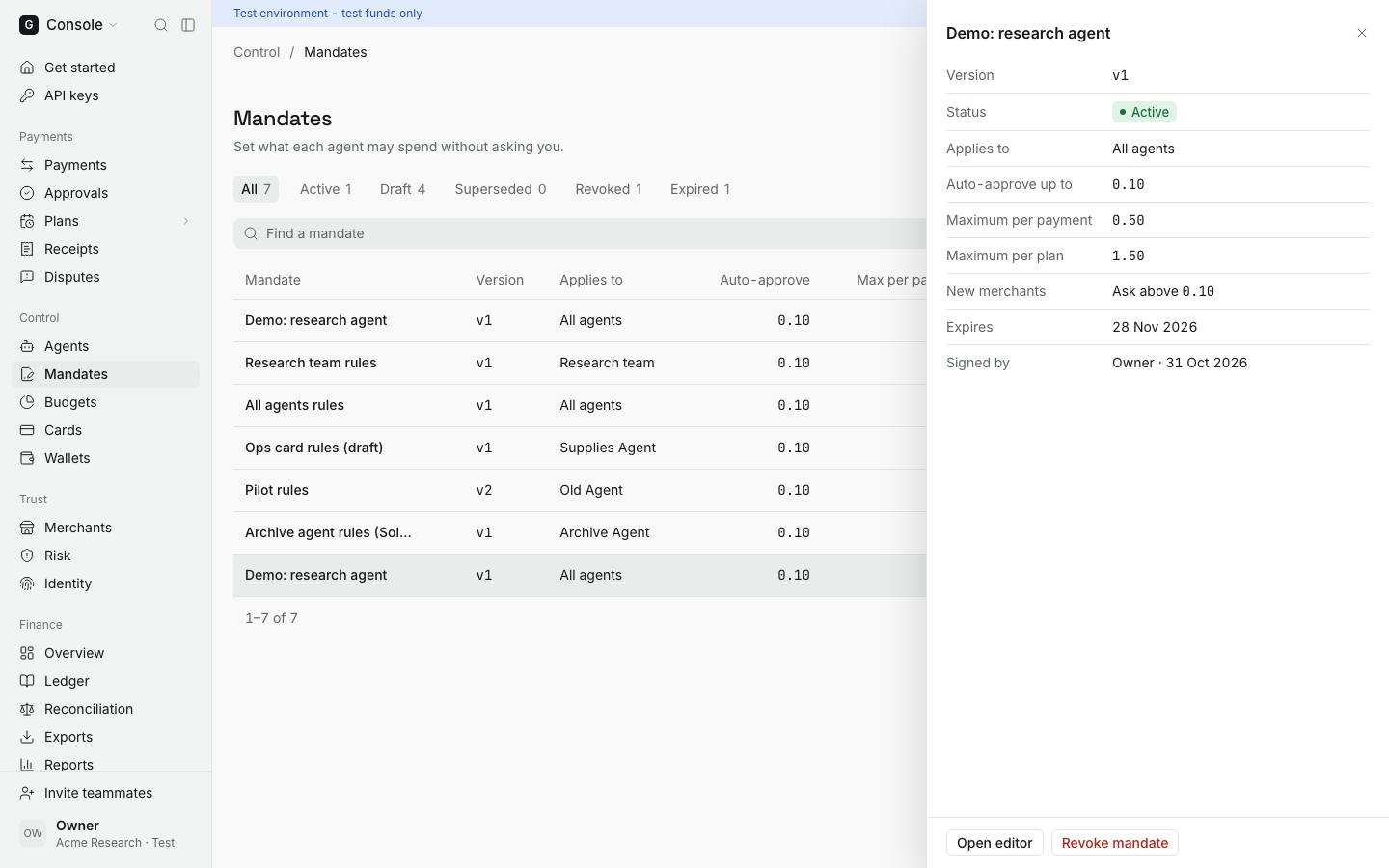
Signing asks for your passkey. The version's rules are serialized as canonical JSON and hashed; your passkey signs a challenge bound to that hash. The mandate is issued in AP2 v0.2 format, with your WebAuthn assertion in the signature slot; Abazi builds and verifies it itself. The version becomes active, and the version it replaces becomes superseded.
Changing and revoking
Versions are never edited after signing. To change a rule, create a new version (it starts from the current one), try it, and sign it. Abazi can show what changed between any two versions.
Revoking takes a fresh passkey and acts at once:
- the active version becomes revoked;
- pending or approved approvals for the agent are invalidated;
- purchases that are reserved or waiting for approval are denied with MANDATE_REVOKED;
- a revocation receipt is issued, so the revocation itself is on the record.
Even a purchase that was already reserved is caught: the signer rechecks the mandate before it signs.
Failure cases
| Situation | Result |
|---|---|
| No signed version yet | Every purchase is denied with MANDATE_MISSING. |
| The expiry date passed | Denied with MANDATE_EXPIRED; sign a new version. |
| A rail, network, category or tier is not listed | Denied with RAIL_NOT_ALLOWED, CHAIN_NOT_ALLOWED, CATEGORY_NOT_ALLOWED or MERCHANT_TIER_NOT_ALLOWED. |
| A limit is set higher than the hard cap or the agent budget allows | The draft is refused before it can be signed. |
Next steps
Accept agent payments with a 402 response
Put a price on an HTTP endpoint with x402 middleware or a hosted endpoint, answer agents with a standard 402 response, and get paid in USDC.
Approve a purchase on a phone
What an approver sees when an agent's purchase needs a person, how the one-time link and the passkey work, and what the agent sees before and after.