Accept agent payments with a 402 response
Put a price on an HTTP endpoint with x402 middleware or a hosted endpoint, answer agents with a standard 402 response, and get paid in USDC.
What you end up with
A paid endpoint. An agent asks for it, gets a 402 response with the price and payout address, pays in USDC on Solana, Base, Polygon or Avalanche, and receives the resource in the same exchange. The payment shows up in the merchant console once it is confirmed, and the payer gets a receipt.
Two ways to accept
| x402 middleware | Hosted endpoint | |
|---|---|---|
| Where the 402 is answered | In your own server | By Abazi, at a hosted URL for your service |
| Where the price comes from | Your service's Catalog listing, or a payment-requirements document you pass | Your service's Catalog listing |
| Who verifies and settles | Your server, through an x402 facilitator | Abazi, through an x402 facilitator |
| How you serve the resource | Your handler runs after the payment settles | Abazi forwards the paid request to your origin and returns its response |
Steps
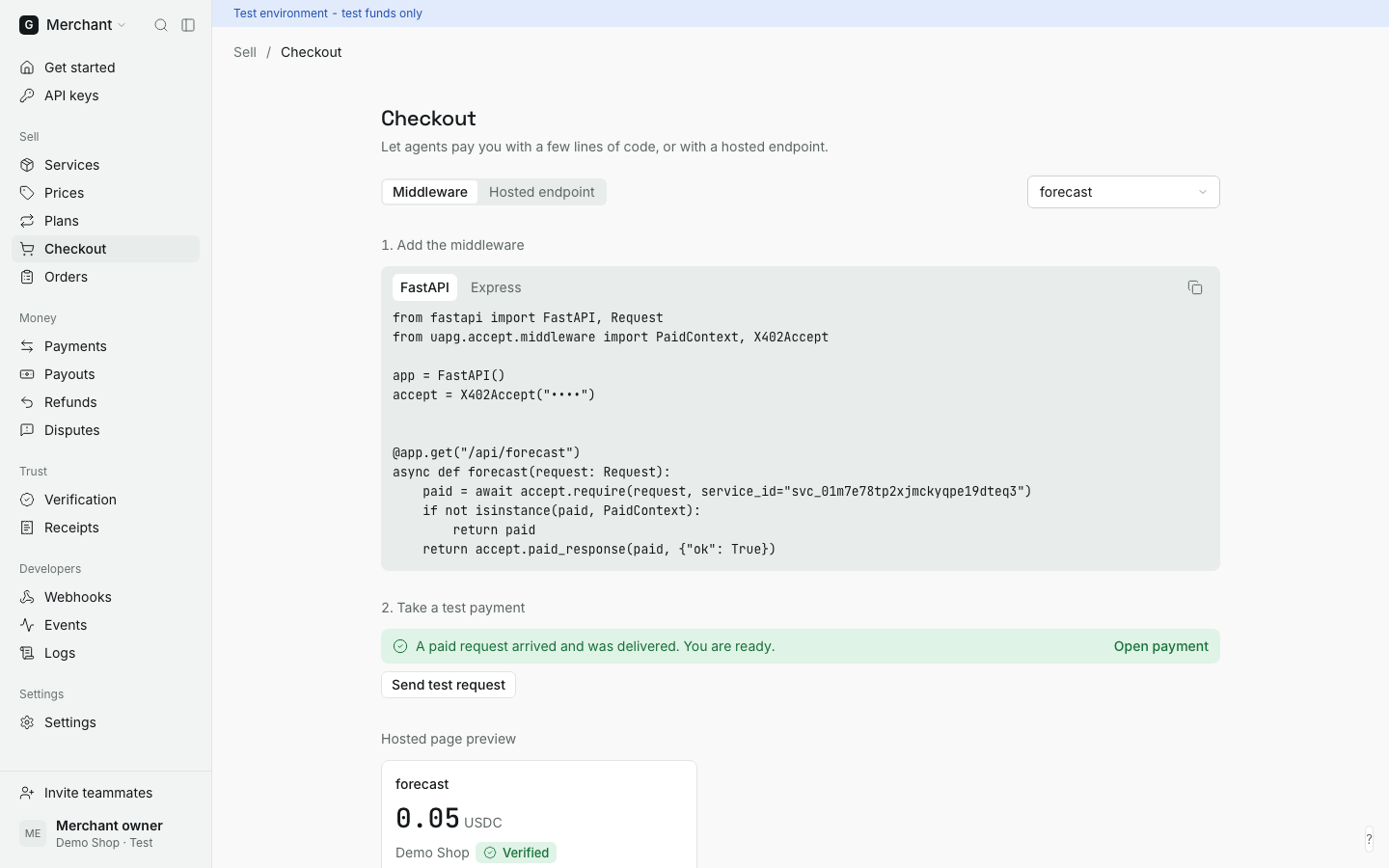
List the service
In the merchant console, add a service with its price, the networks it accepts and the payout address for each network. This listing is what Abazi pays: a 402 response that disagrees with it is refused.
Answer with a 402
With the middleware, your handler asks for payment for the listed service. With the hosted endpoint, Abazi does it for you. Either way, an unpaid request gets a 402 response that follows x402 version 2: a PAYMENT-REQUIRED header with the requirements encoded, and the same requirements in the body.
{
  "x402Version": 2,
  "error": "Payment required",
  "resource": { "url": "https://shop.example/api/forecast", "description": "Seven-day weather forecast for a city.", "mimeType": "application/json" },
  "accepts": [
    {
      "scheme": "exact",
      "network": "<caip2-network-id>",
      "amount": "50000",
      "asset": "<USDC contract>",
      "payTo": "<your payout address>",
      "maxTimeoutSeconds": 60,
      "extra": { "name": "USDC", "version": "2" }
    }
  ]
}
Each entry in accepts is one way to pay: one network, one asset, one amount. On Solana the entry also names the facilitator's fee payer, which pays the network fee.
Verify and settle the paid retry
The agent's paid retry carries the signed payment in a PAYMENT-SIGNATURE header. The middleware or hosted endpoint checks that it matches one of your own accepts entries exactly (amount, payout address and asset), asks the facilitator to verify it, then to settle it on chain.
Return the resource
After settlement, the resource goes back with a 200 and a PAYMENT-RESPONSE header that carries the settlement result. With the hosted endpoint, Abazi forwards the paid request to your origin with a header naming the transaction, and returns your origin's response.
See the payment
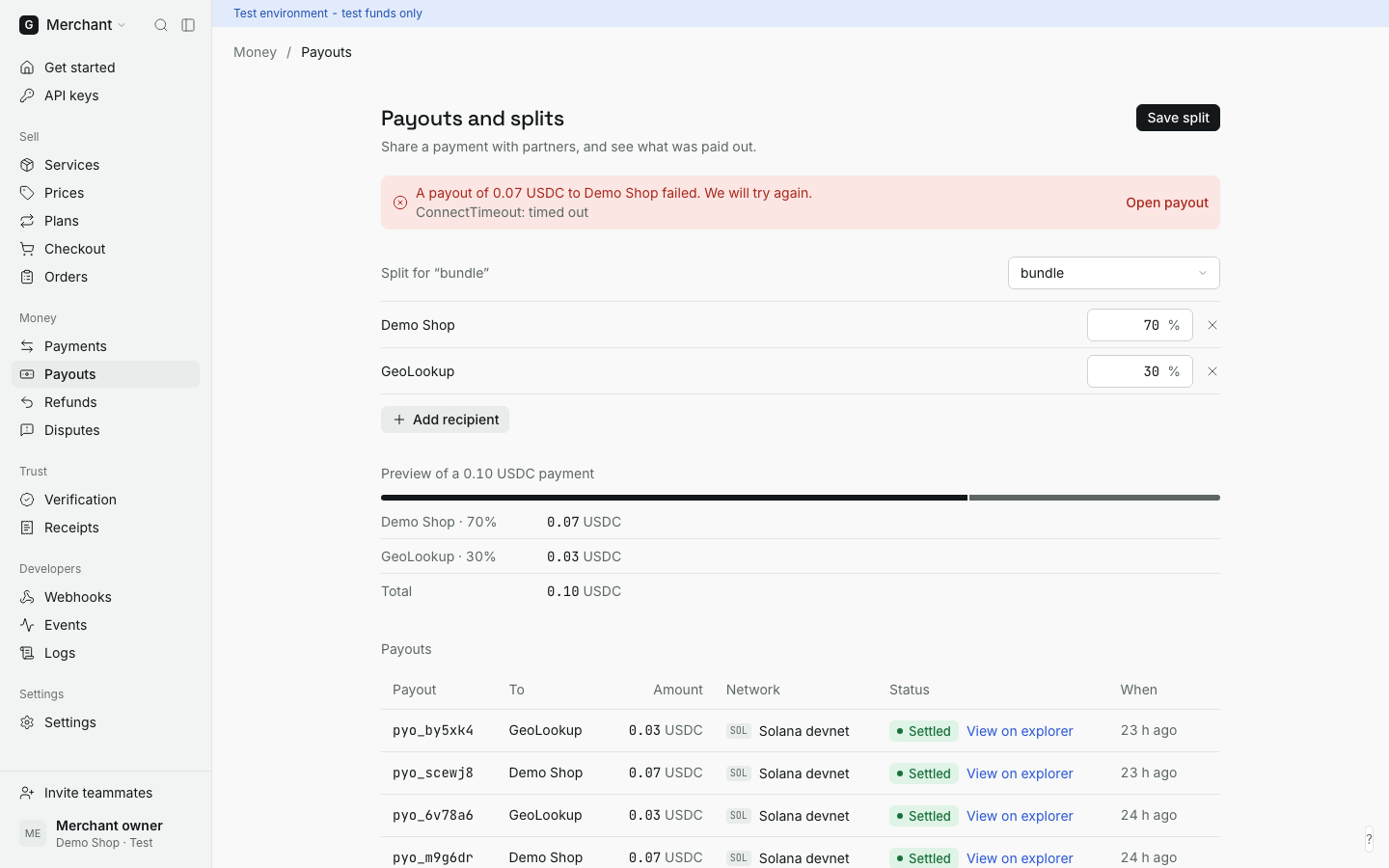
Once the payment is confirmed on its network, the merchant console shows it under payouts, with any split.
Being paid without listing
An agent can also buy from a URL that is not in the Catalog. Abazi calls the URL, and if it answers with a valid x402 version 2 402 response, adds the merchant to the Catalog as UNKNOWN and the service as discovered. An unknown merchant can be paid, but purchases above the unknown-merchant limit (0.10 USDC in the example mandate) need a person's approval, and a mandate may refuse unknown merchants altogether. To move up, see merchant trust tiers.
Failure cases
| Situation | What the agent's side sees |
|---|---|
| The 402 asks for a different payout address than the listing | Denied with PAYTO_MISMATCH, and the merchant's tier resets to UNKNOWN. |
| The 402 asks for a different amount than the listing | Denied with AMOUNT_MISMATCH. |
| The 402 offers only networks the listing does not name | Denied with NETWORK_MISMATCH. |
| The paid retry does not match your requirements, or the facilitator says it is invalid | Your endpoint answers 402 again with an error; nothing settles. |
| No facilitator can be reached | Your endpoint answers 502; the payer's payment stays unsettled. |
Next steps
An agent's first purchase through MCP
Connect an agent to Abazi's MCP server with its credential, find a service, buy it with one tool call and handle a payment, an approval or a denial.
Write a mandate
Draft an agent's spending rules, try purchases against the draft without spending anything, sign the version with a passkey, and change or revoke it later.